Tutorials
Salesforce
Create a matrix report in Salesforce
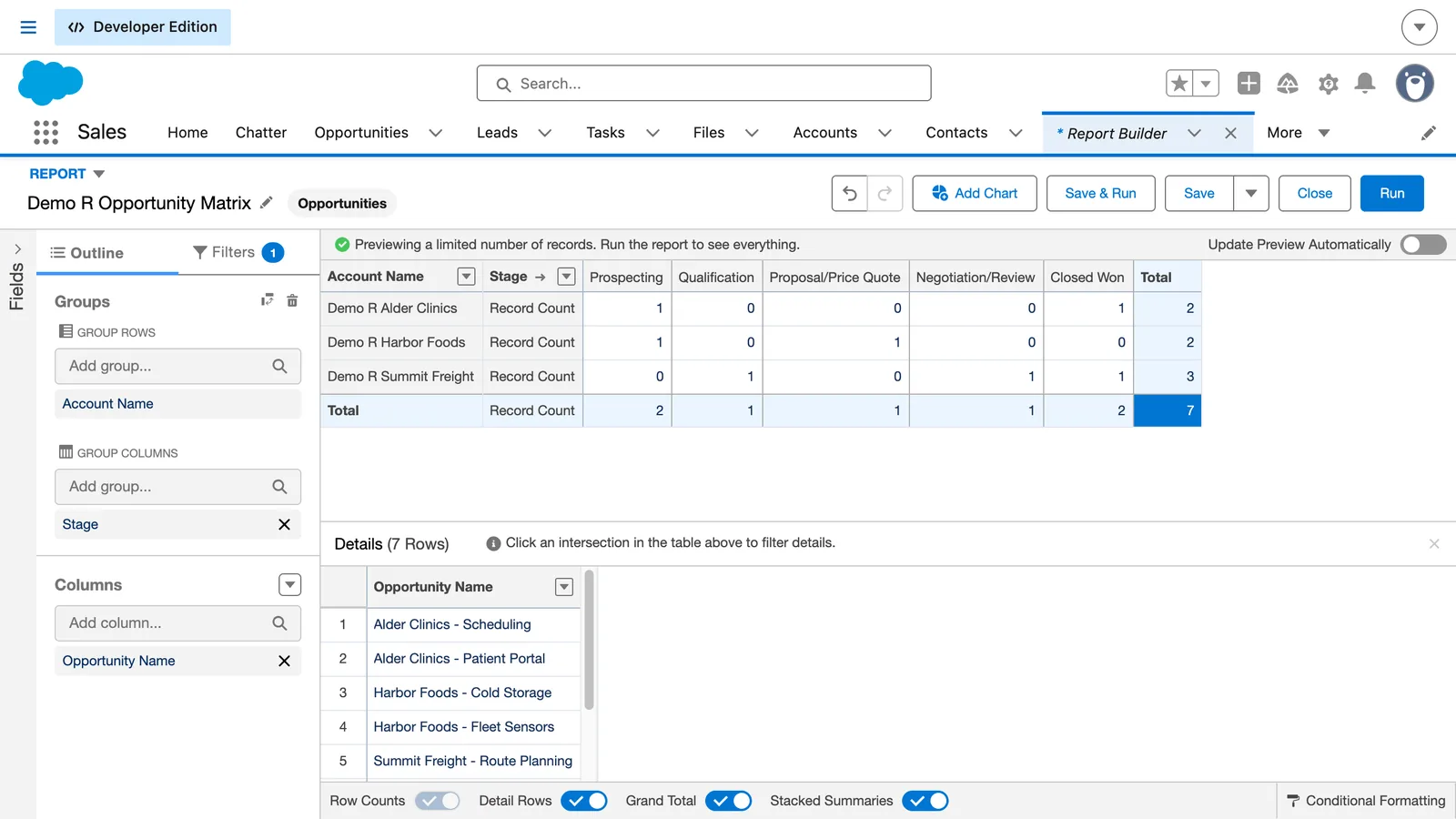
How do I make a matrix report in Salesforce?
Open the report and click Edit. Under Group Rows, choose Account Name, then under Group Columns choose Stage. Refresh the preview, then click Save & Run.
- Open your saved opportunity report.
- Click Edit, then open Outline.
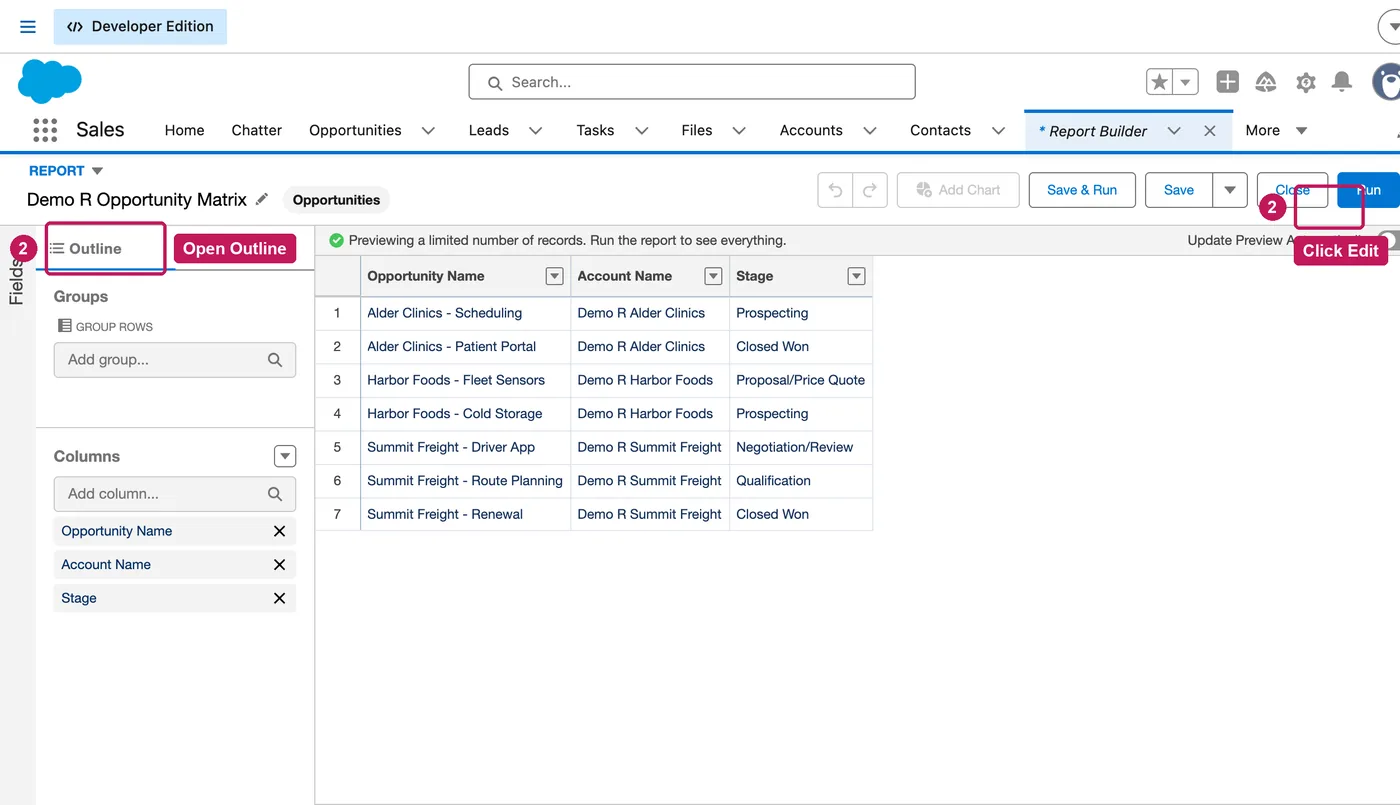
- Under Group Rows, choose Account Name.
- Under Group Columns, choose Stage, then refresh the preview.
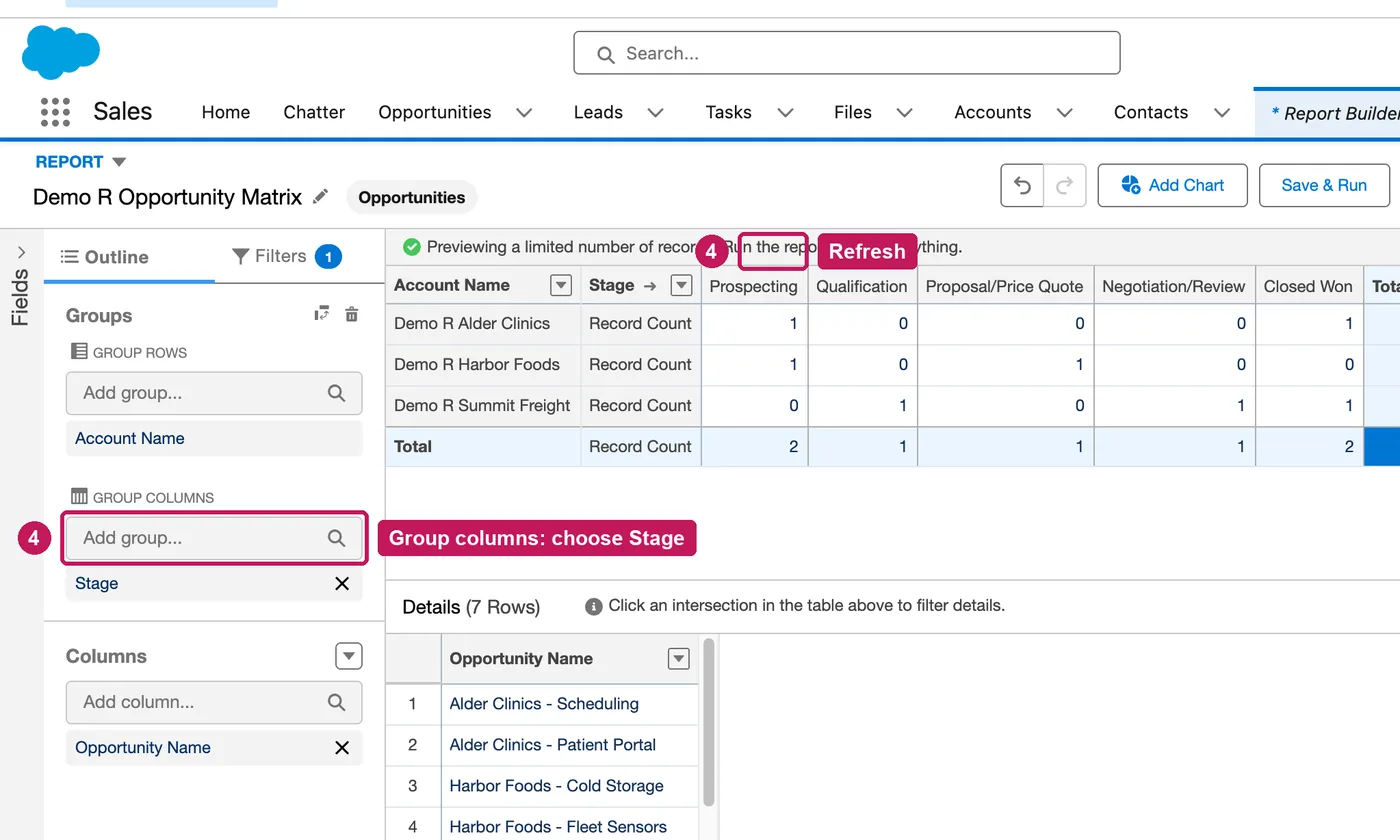
- Click Save & Run and check the result: three accounts, seven opportunities.
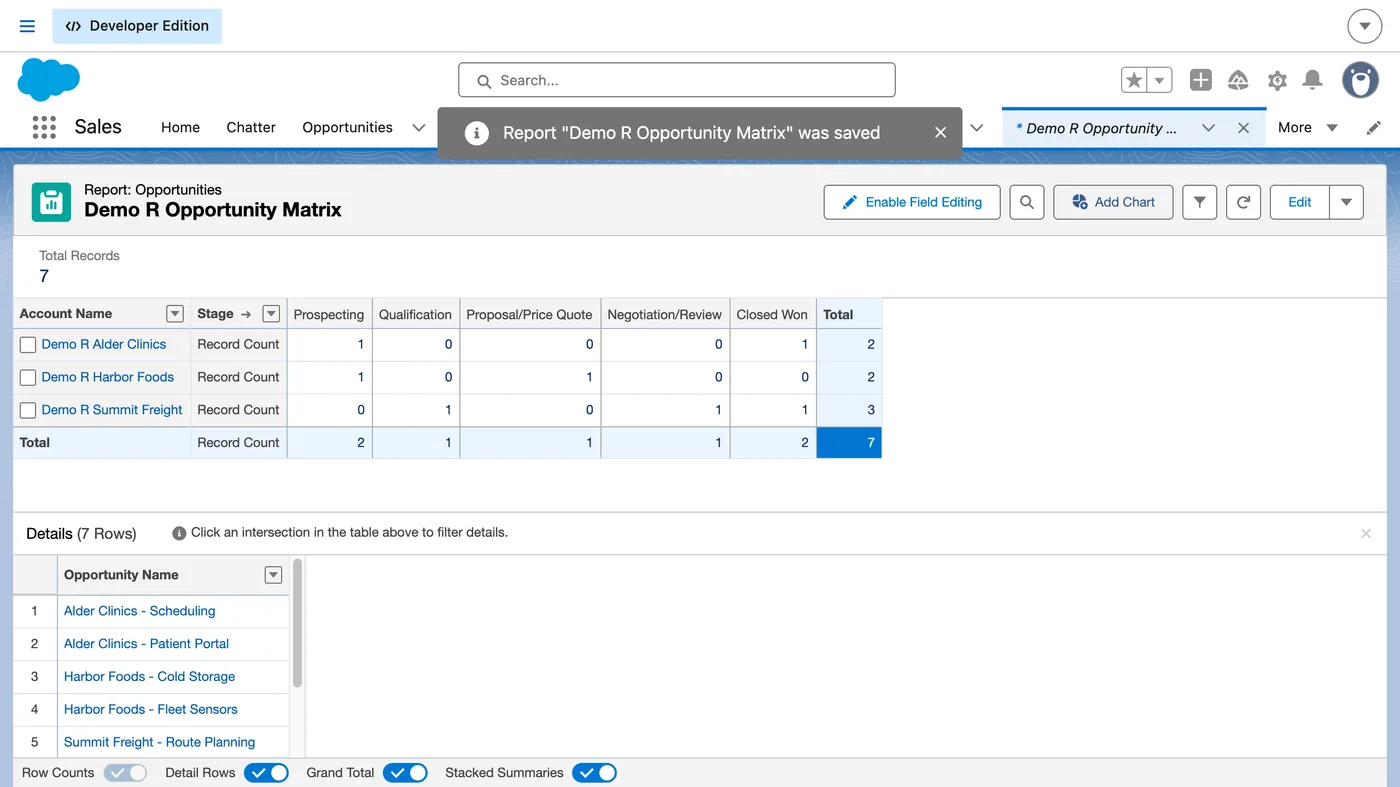
A report grouped by rows and columns is a matrix report; Lightning Report Builder changes the report format as you group, so there is no format to choose. You need access to the report and permission to edit and save it.
Source: Salesforce’s Salesforce Trailhead: Format Your Report help article, checked 11 October 2026.