Tutorials
HubSpot
How to merge companies in HubSpot
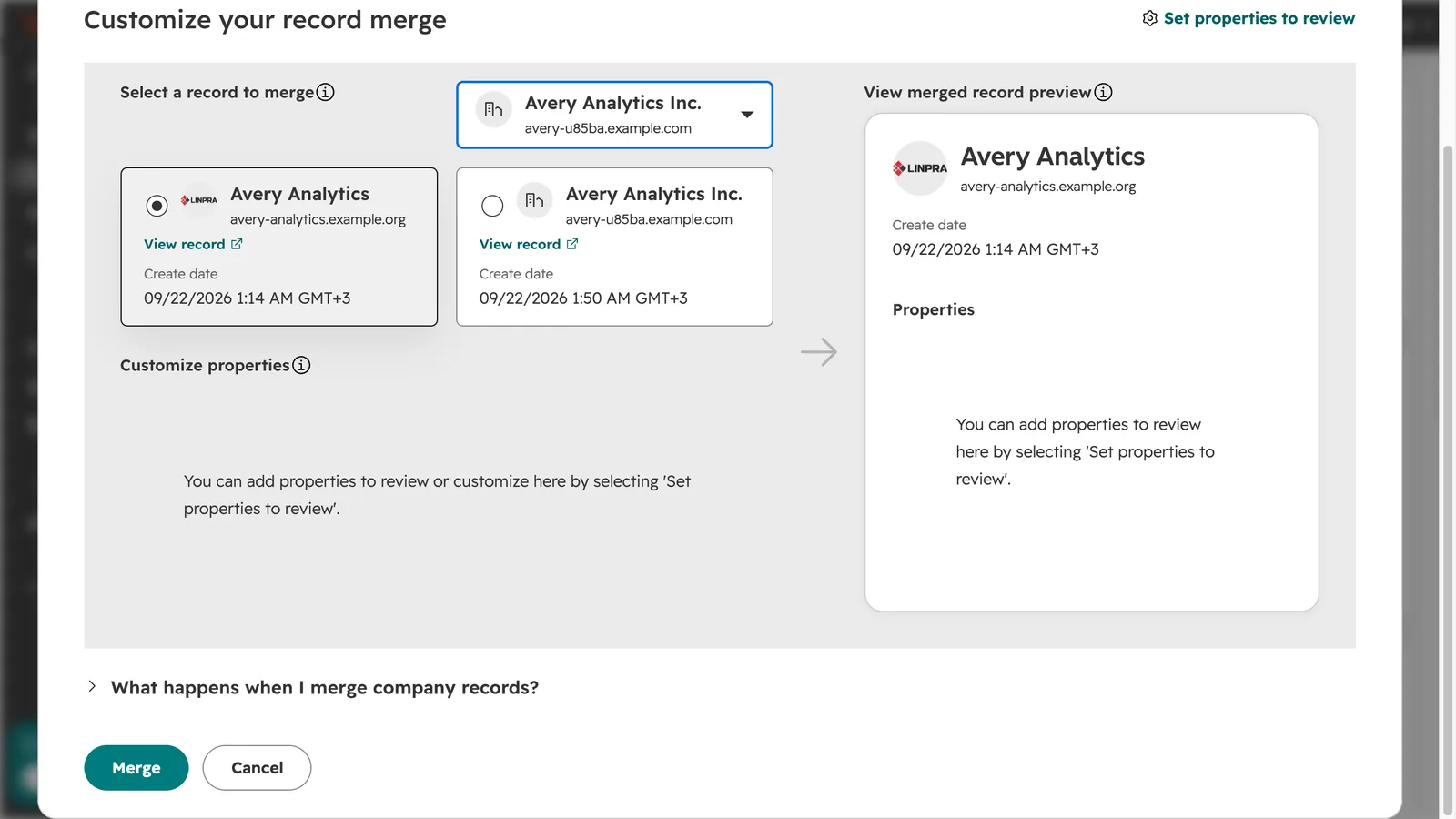
How do I merge two companies in HubSpot?
Open the company you want to keep, click Actions, then Merge. Search for the duplicate, select it, check the preview, and click Merge. The company you opened stays, and the duplicate's domain is added to it as a secondary domain.
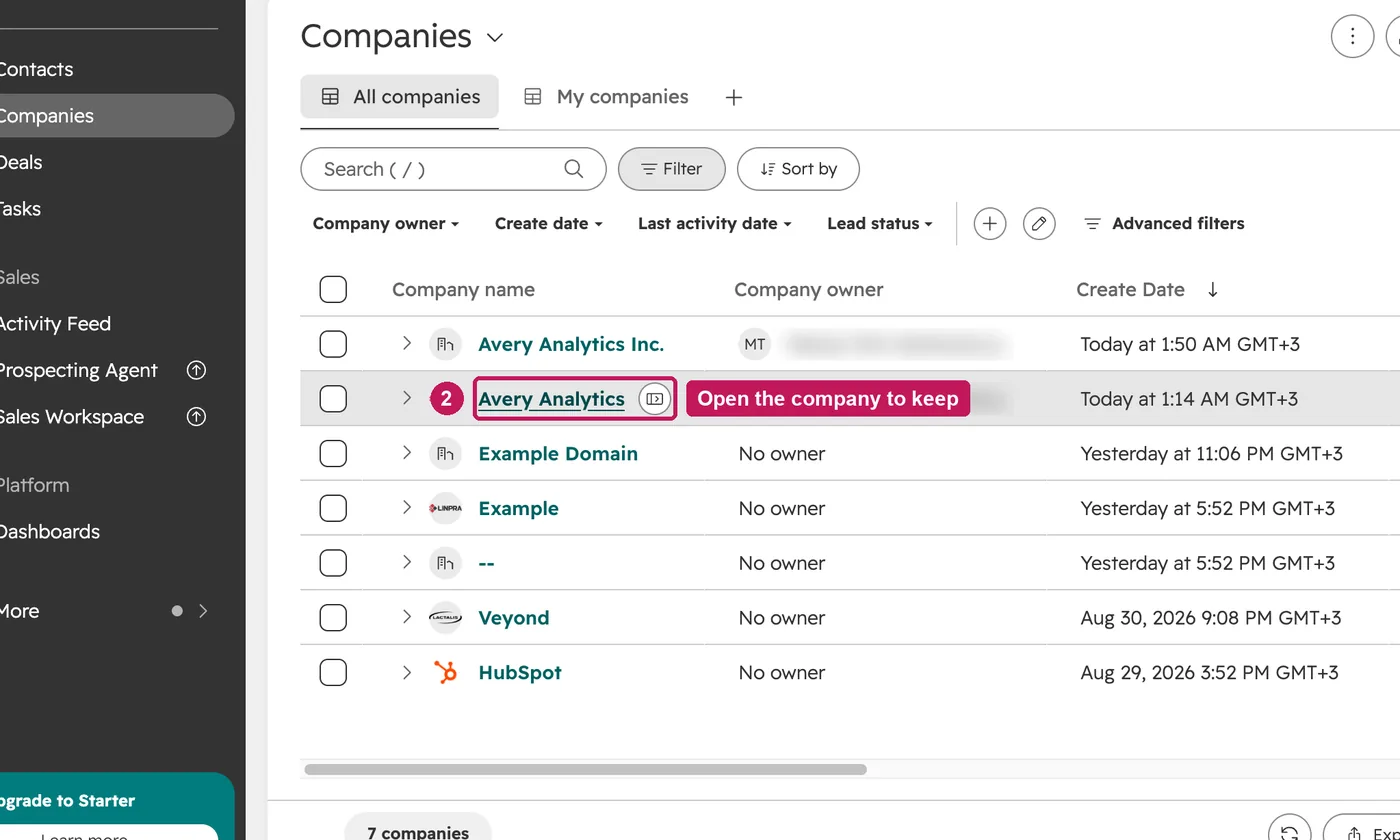
- Go to CRM, then Companies.
- Open the company you want to keep. It becomes the primary record.
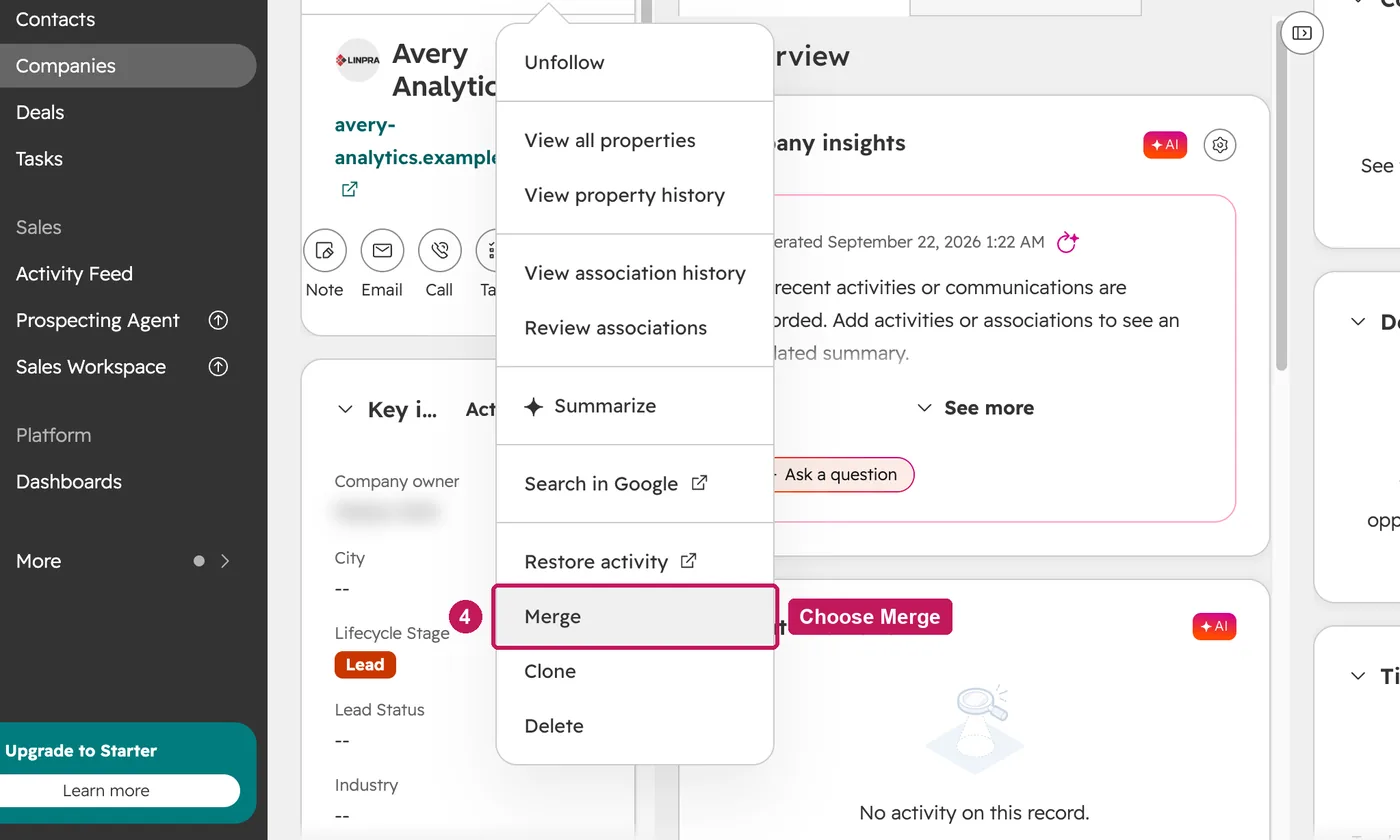
- In the left panel, click Actions.
- Choose Merge.
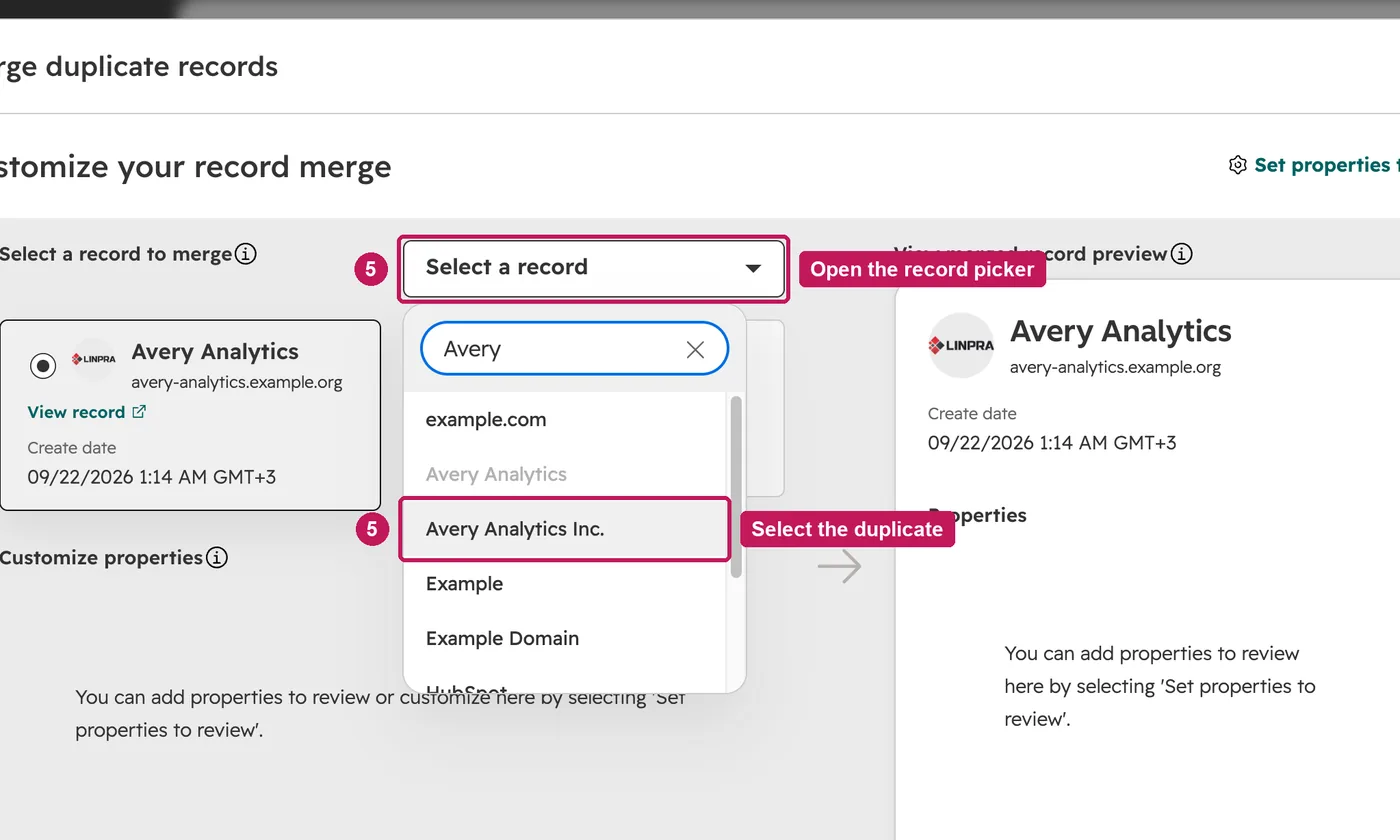
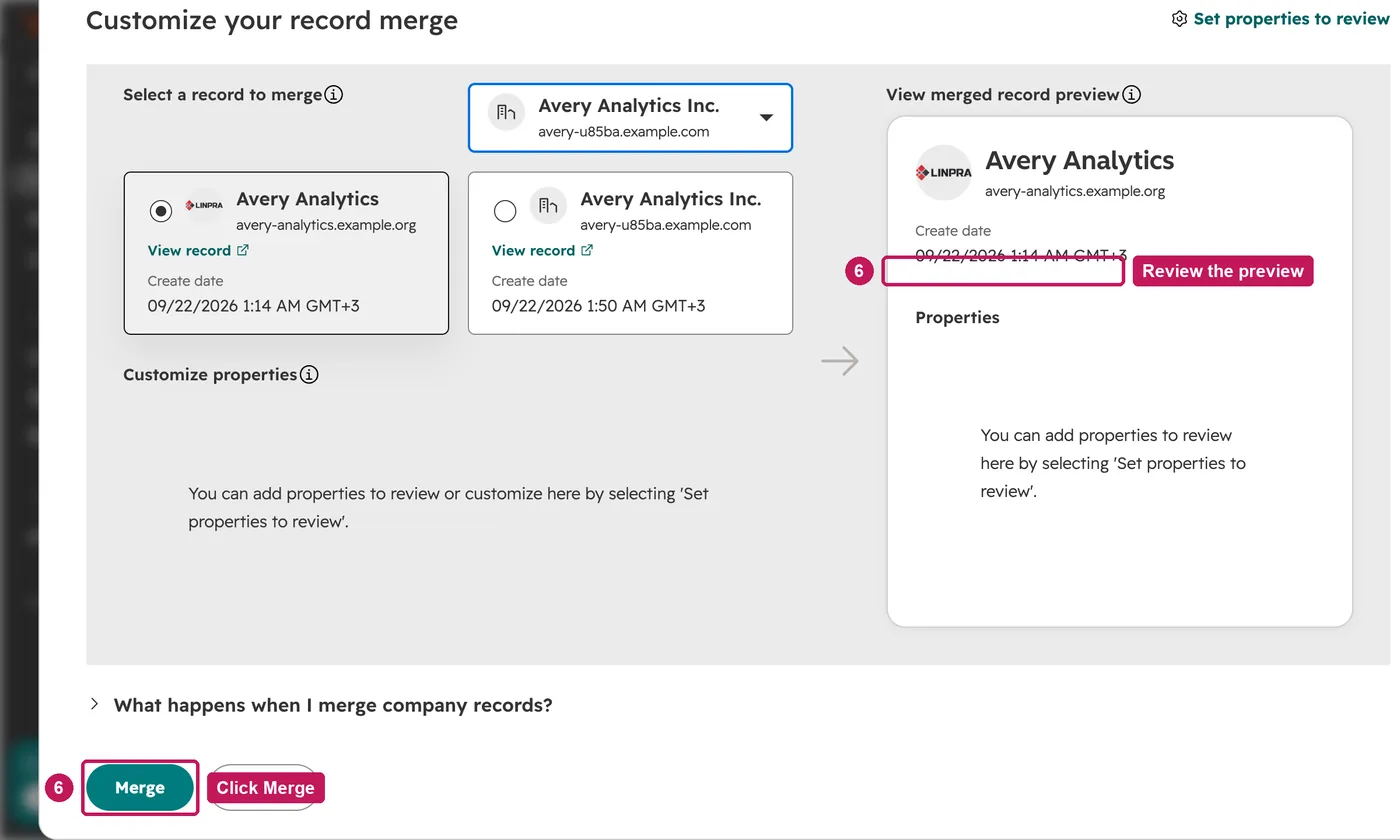
- Open the record picker, search for the duplicate and select it.
- Check the preview, then click Merge. The duplicate's domain becomes a secondary domain.
The merged company keeps the primary record's property values, except lifecycle stage, which keeps the stage furthest down the funnel. Activities from both companies appear on the merged record. A merge can't be undone; to separate them again, delete the extra domain and create a new company with it.
Source: HubSpot’s Merge records help article, updated 5 September 2026, checked 27 September 2026.