Tutorials
HubSpot
How to add a note to a contact in HubSpot
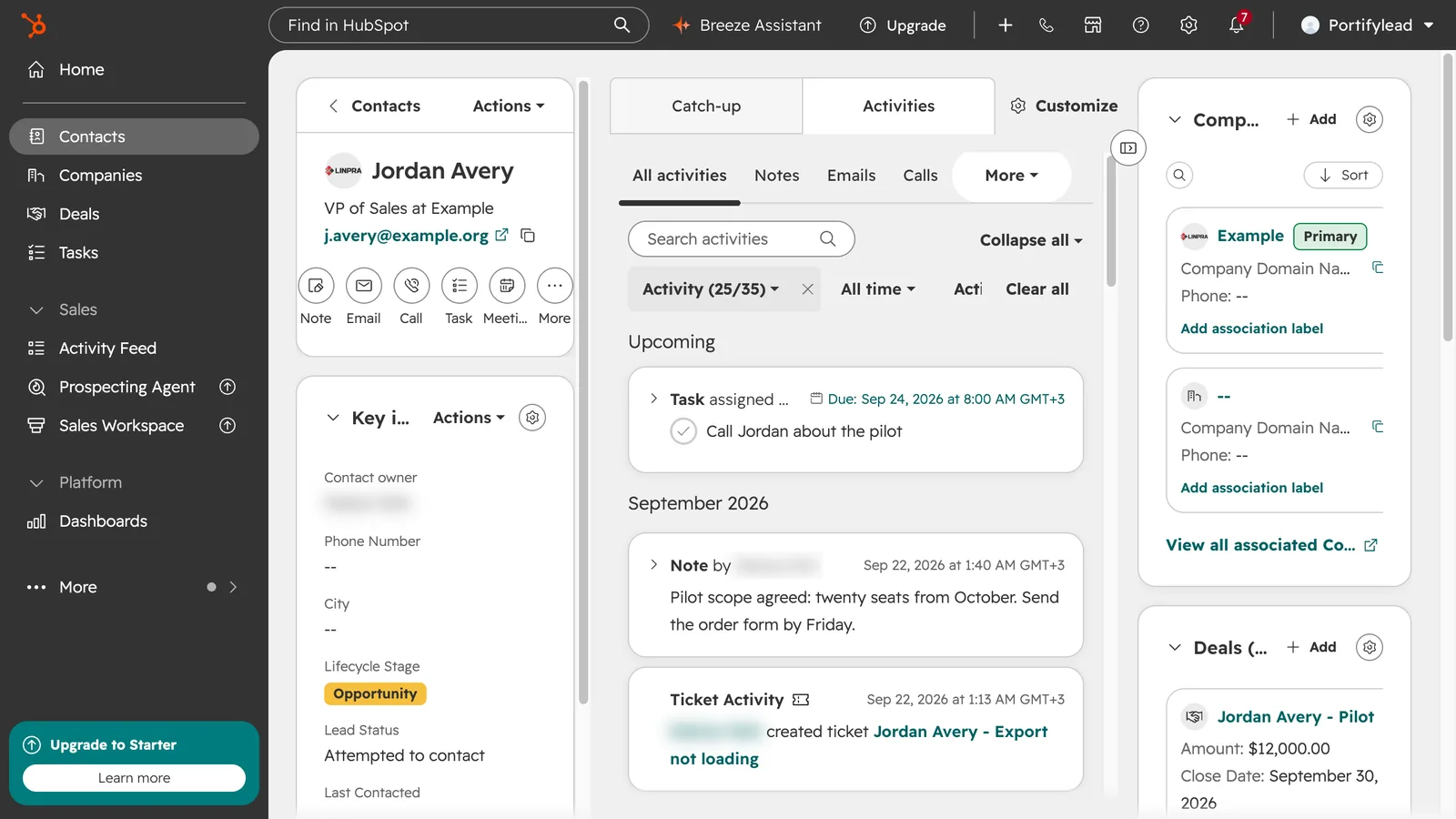
How do I add a note to a contact in HubSpot?
Open the contact, click Note under their name, type the note and click Create note. It is saved on the contact's timeline, under Activities.
- In HubSpot, go to CRM, then Contacts, and open the contact.
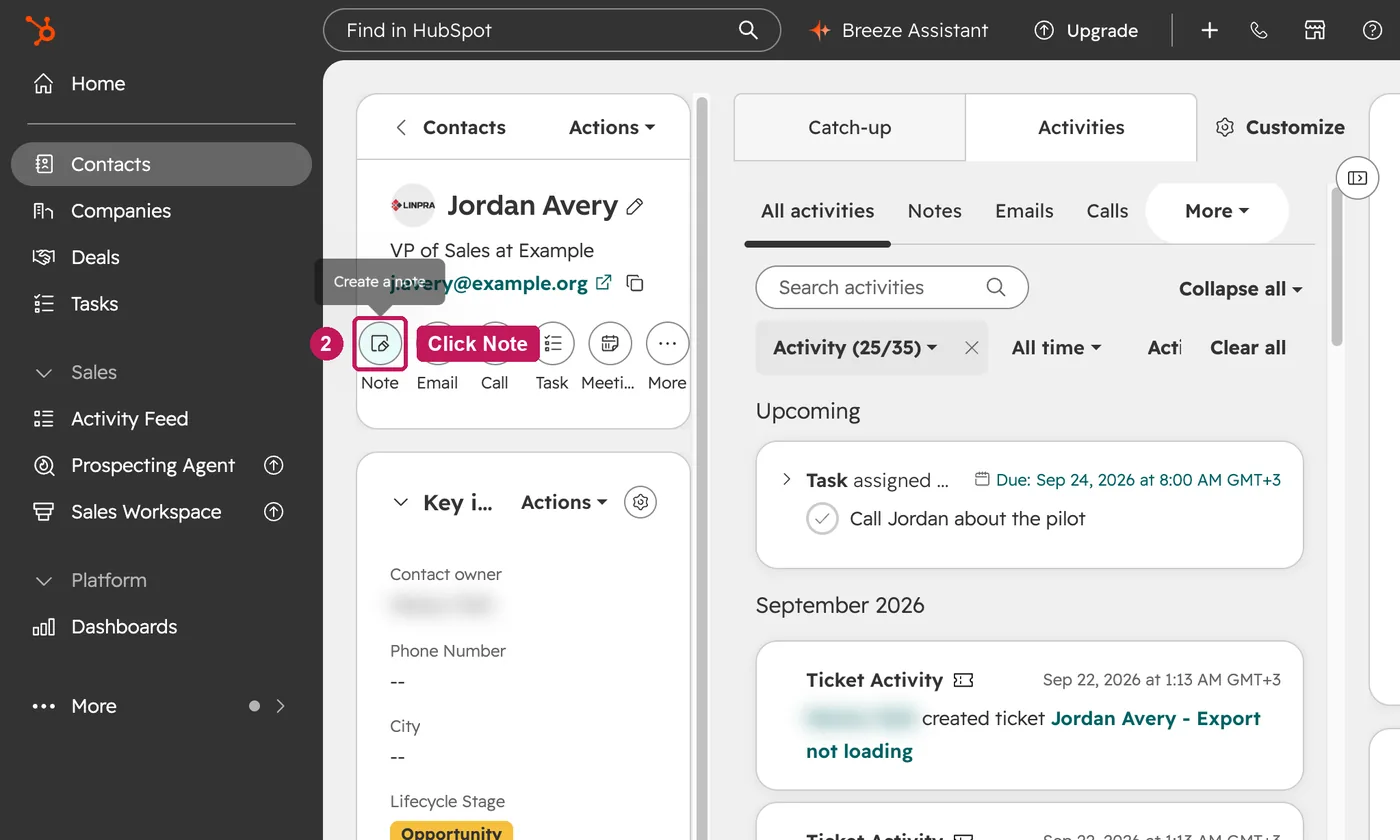
- Under the contact's name, click Note.
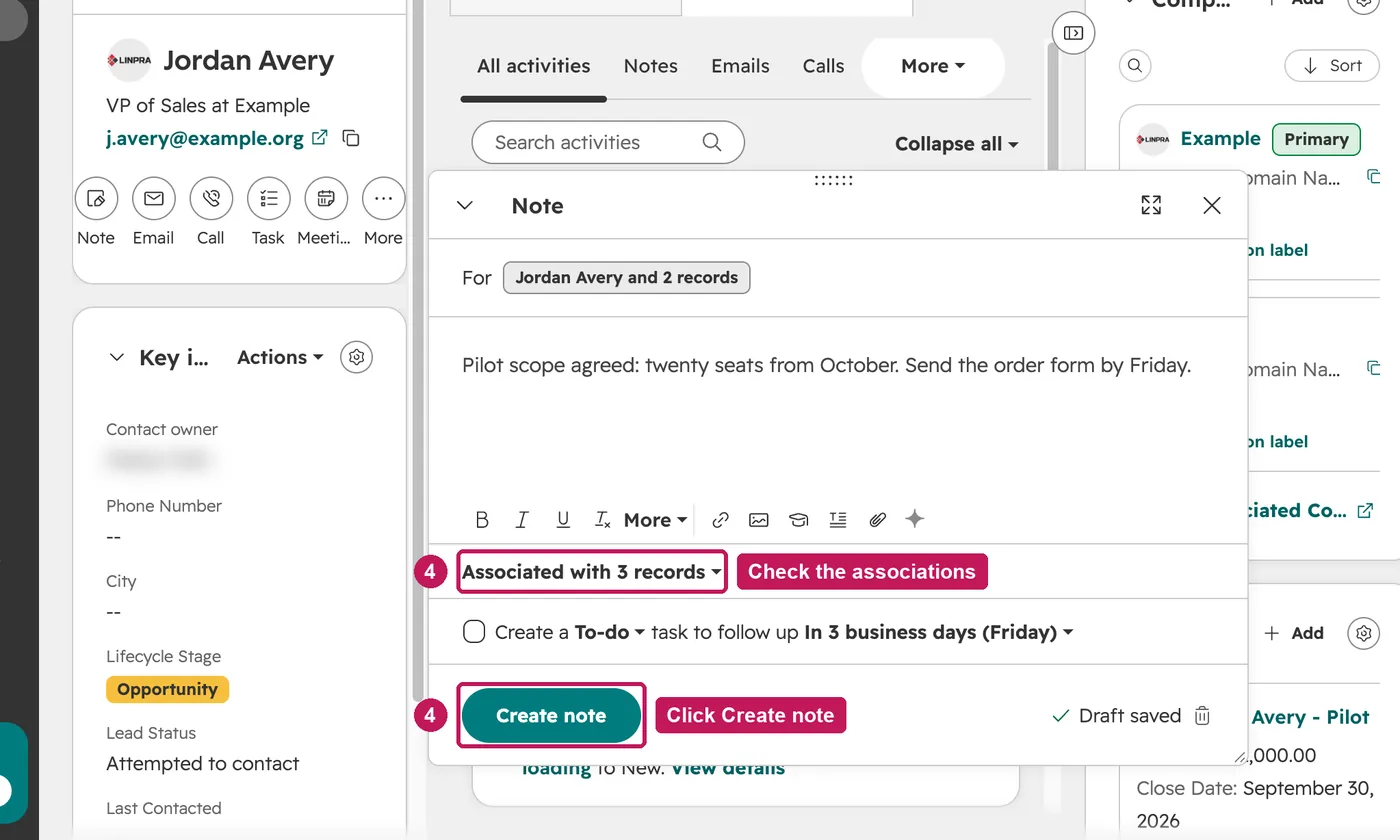
- Type the note. The toolbar adds formatting, links and attachments.
- Check which records the note is associated with, then click Create note.
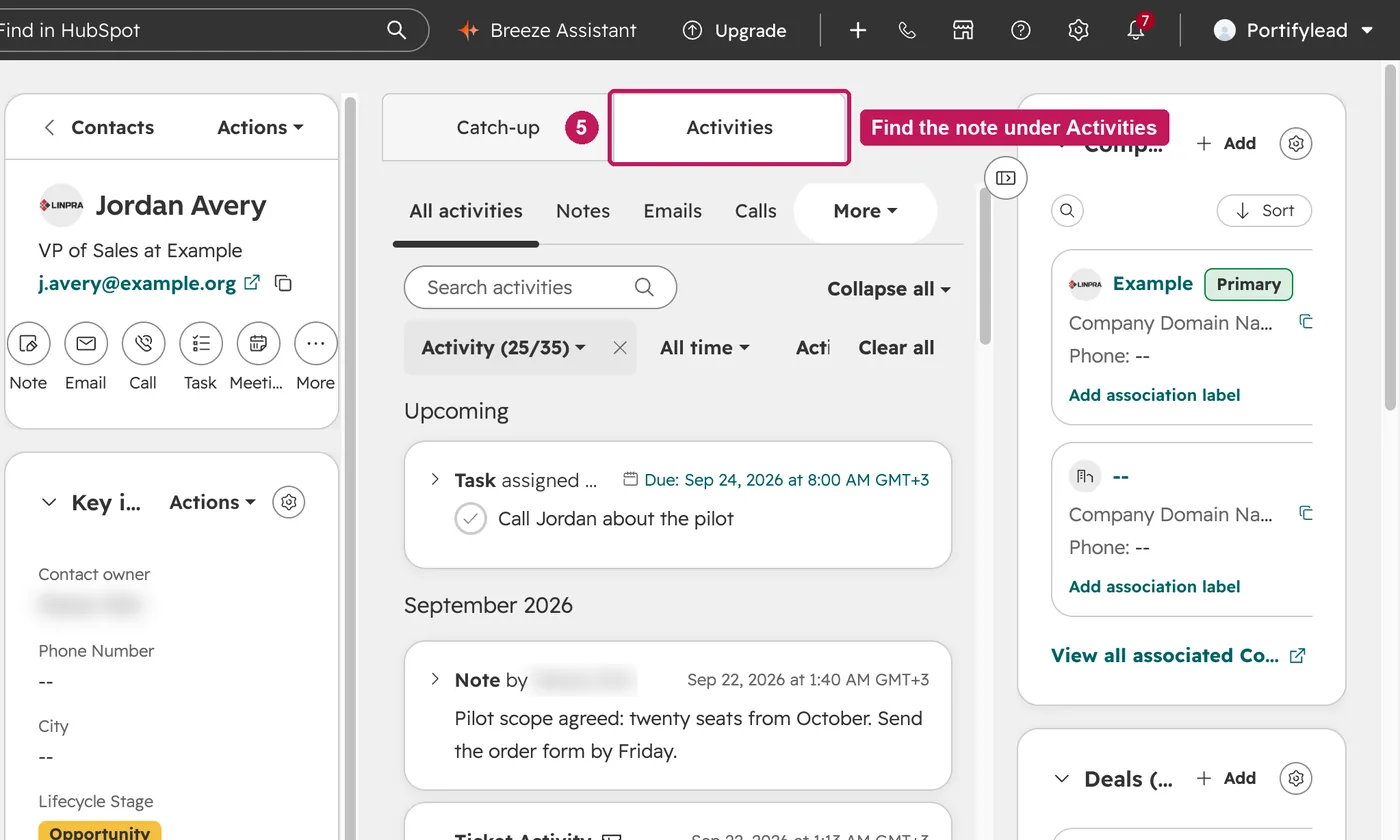
- The note is on the contact's timeline, under Activities.
To tag a teammate in a note, type @ followed by their name or email and pick them from the list. They get shared access to edit or comment on the note, and a notification based on their notification preferences.
Source: HubSpot’s Mention a user on a record help article, updated 11 August 2026, checked 27 September 2026.