Tutorials
HubSpot
How to export contacts from HubSpot
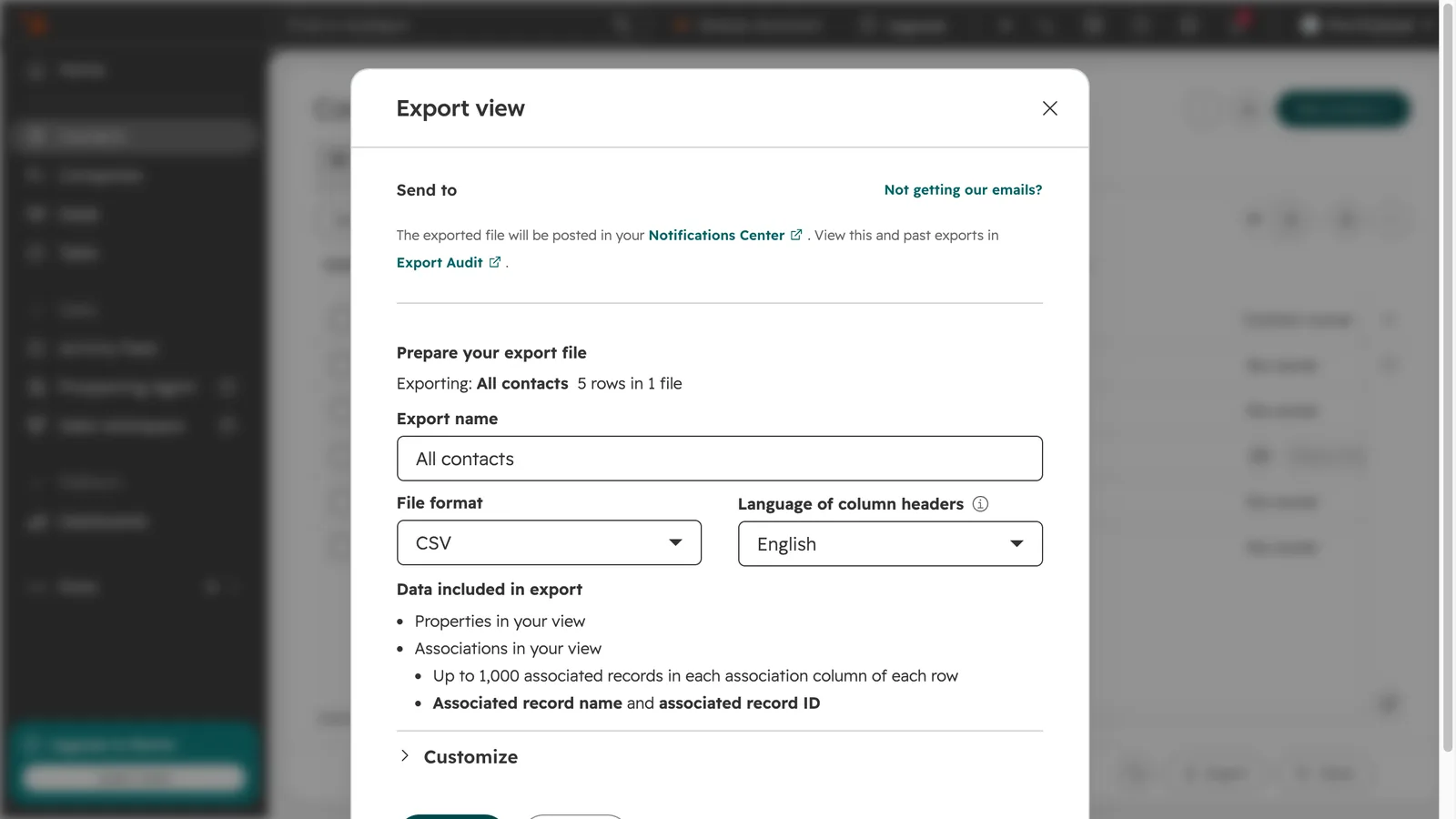
How do I export contacts from HubSpot?
Open the contact view you want, click Export at the bottom of the table, name the export, choose the file format and click Export. HubSpot emails you when the file is ready and posts it in your notifications.
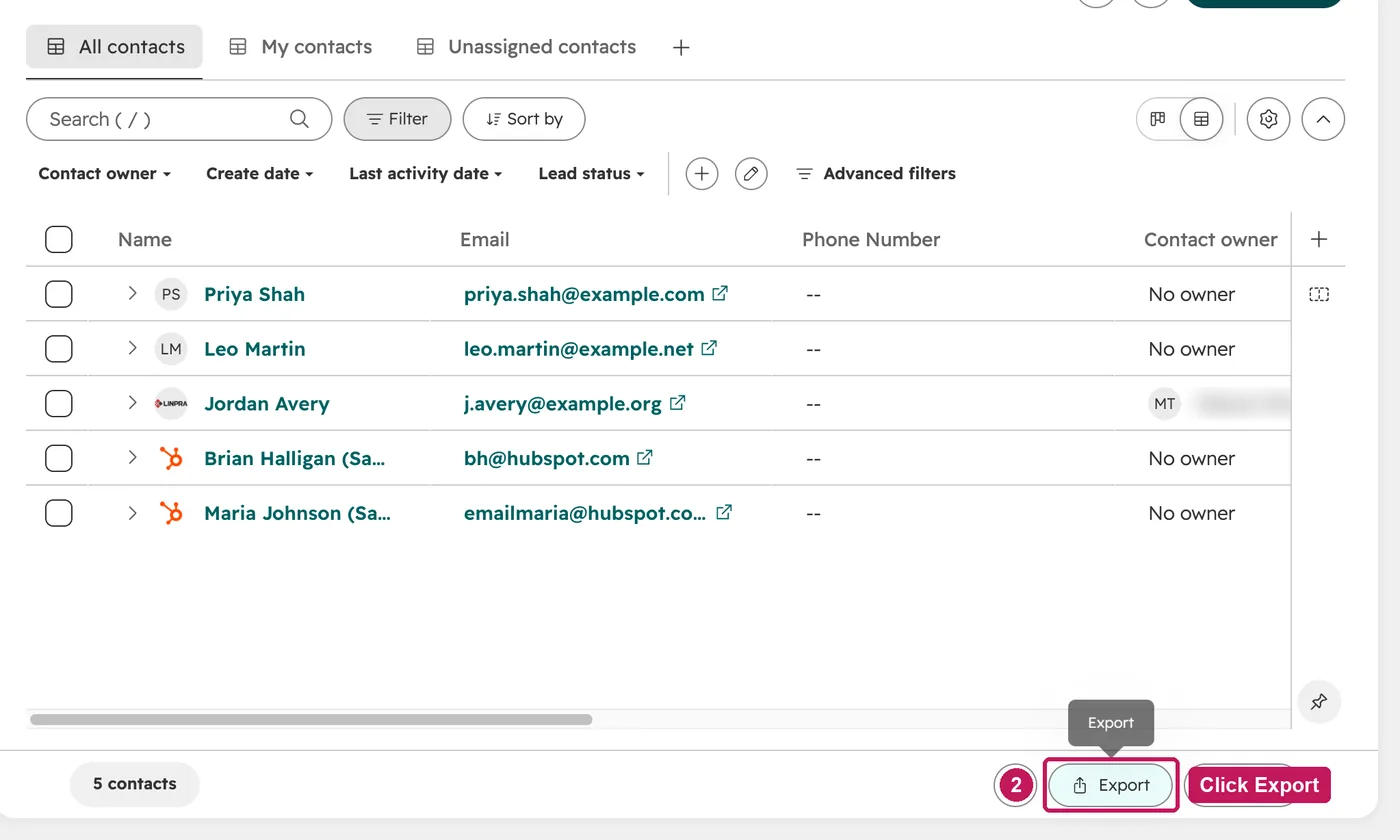
- Open Contacts and pick the view to export. The export includes the properties in that view.
- Click Export at the bottom of the table.
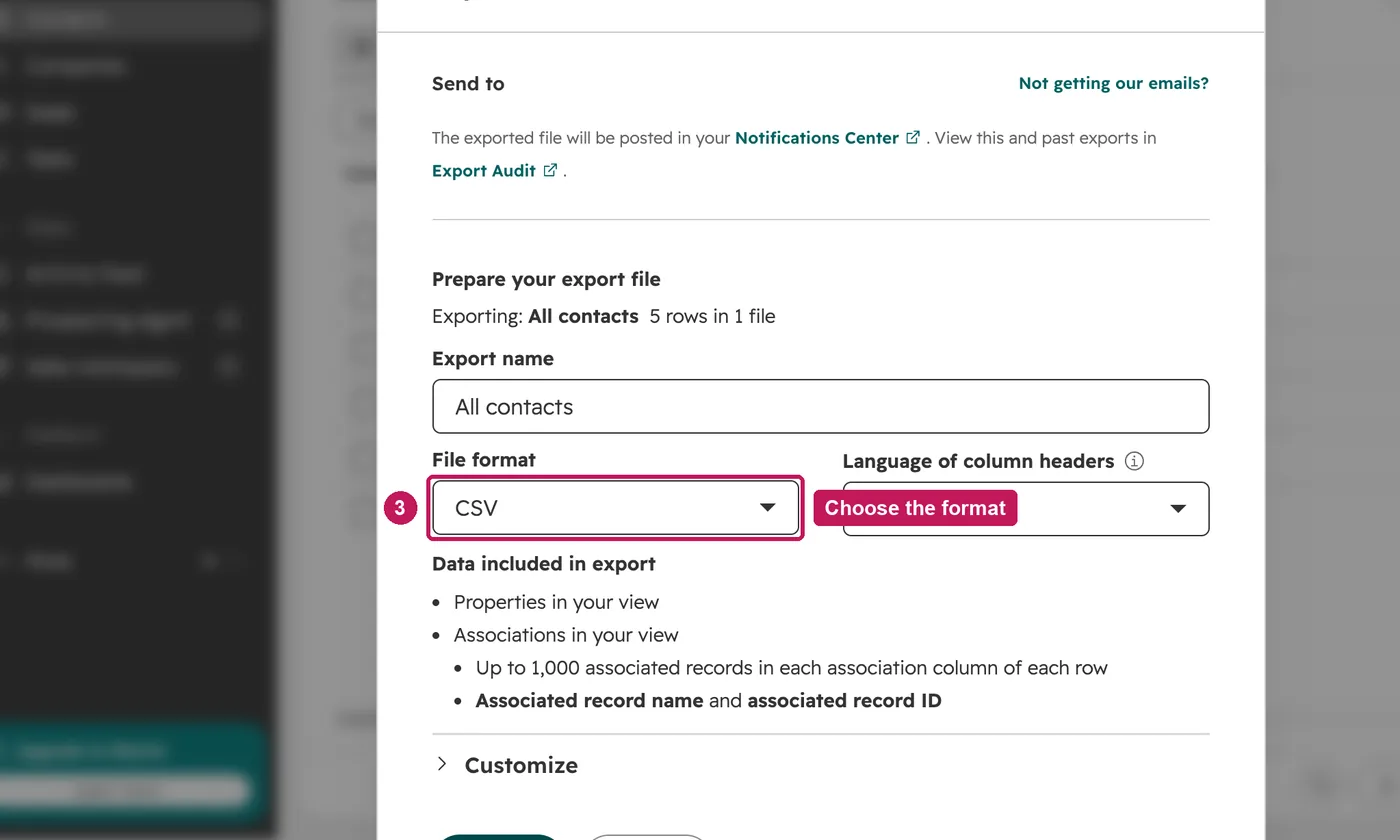
- Name the export and choose the file format.
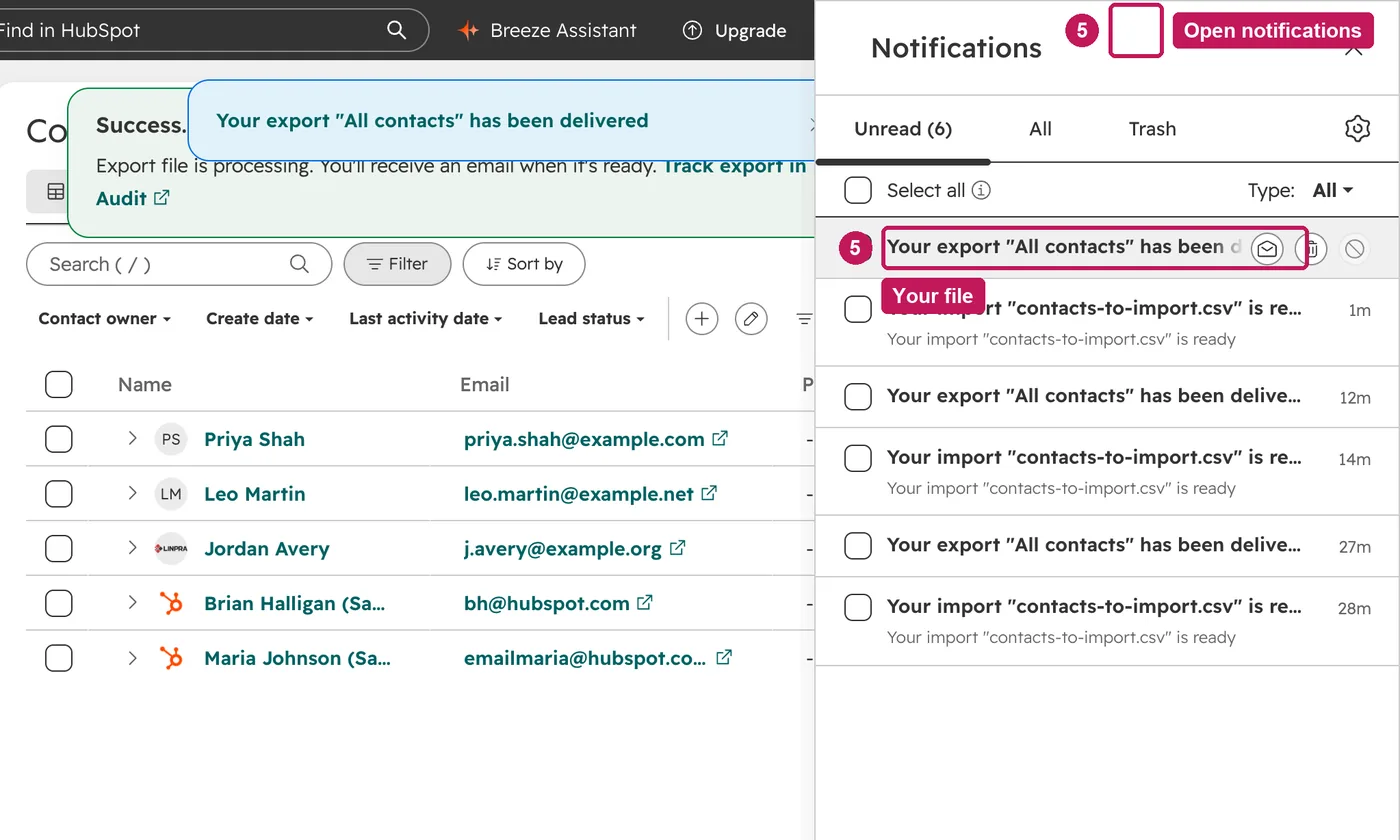
- Click Export. HubSpot emails you when the file is ready.
- Open the notifications bell at the top to download the file.
The file holds the properties and associations in the view you export, as CSV, XLS or XLSX. HubSpot emails a download link, which expires after 30 days. Exporting needs the Export permission.
Source: HubSpot’s Export records help article, updated 2 April 2026, checked 26 September 2026.