Tutorials
HubSpot
How to create a dashboard in HubSpot
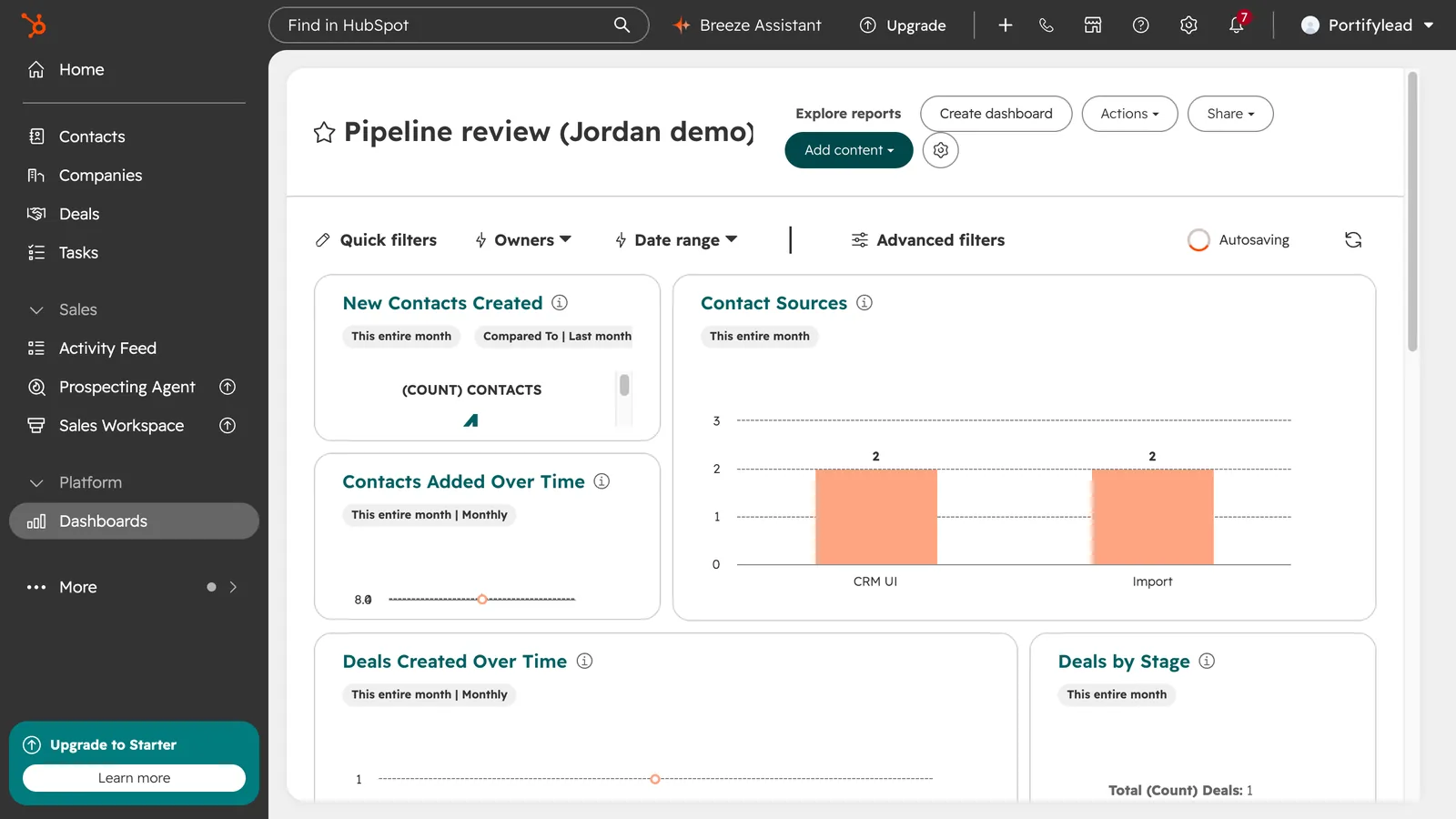
How do I create a dashboard in HubSpot?
Go to Dashboards and click Create dashboard. Pick a template, clear the reports you don't want and click Next, or choose New dashboard for a blank one. Name the dashboard, choose who can access it, and click Create dashboard.
- Go to Dashboards, in the left menu.
- Click Create dashboard.
- Choose New dashboard for a blank one, or pick a template.
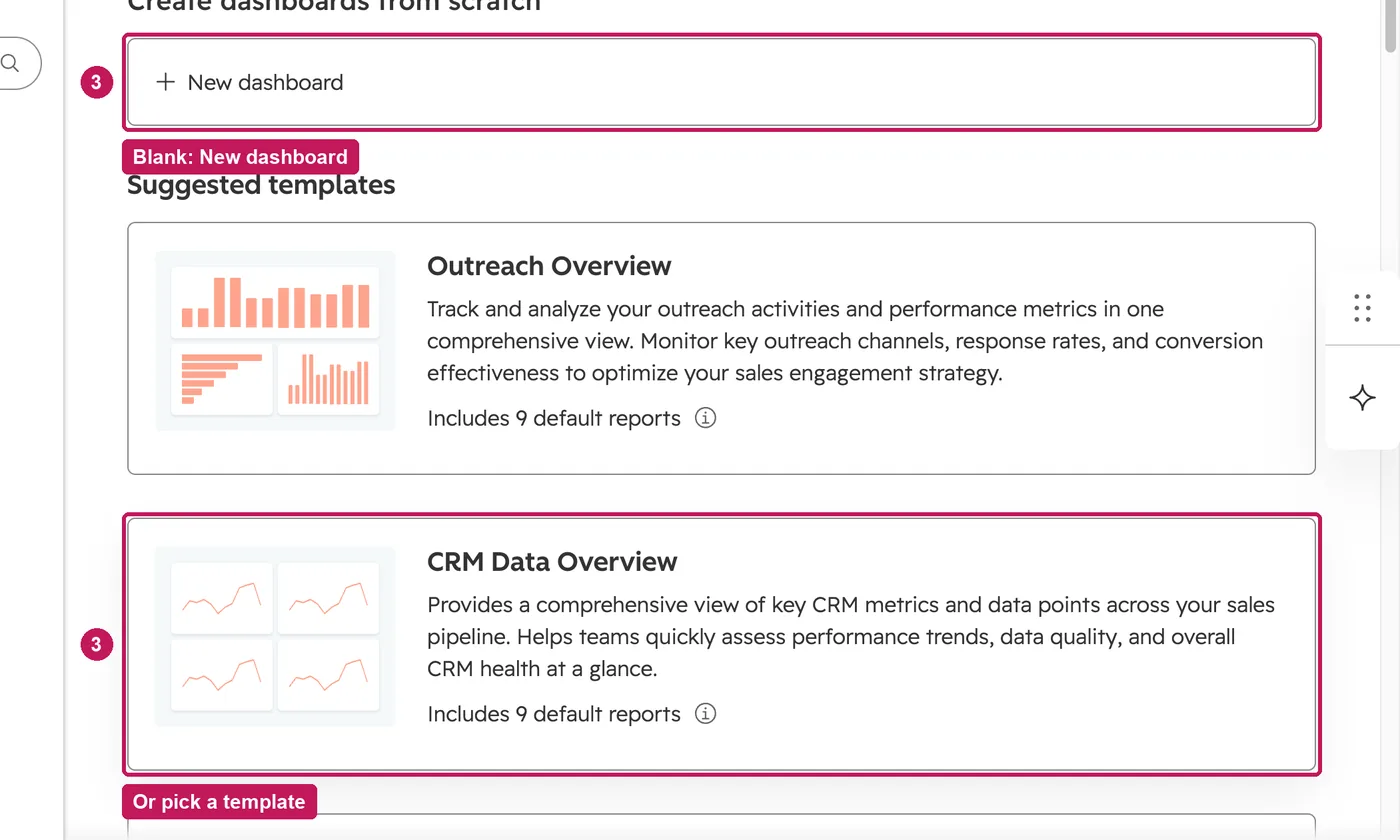
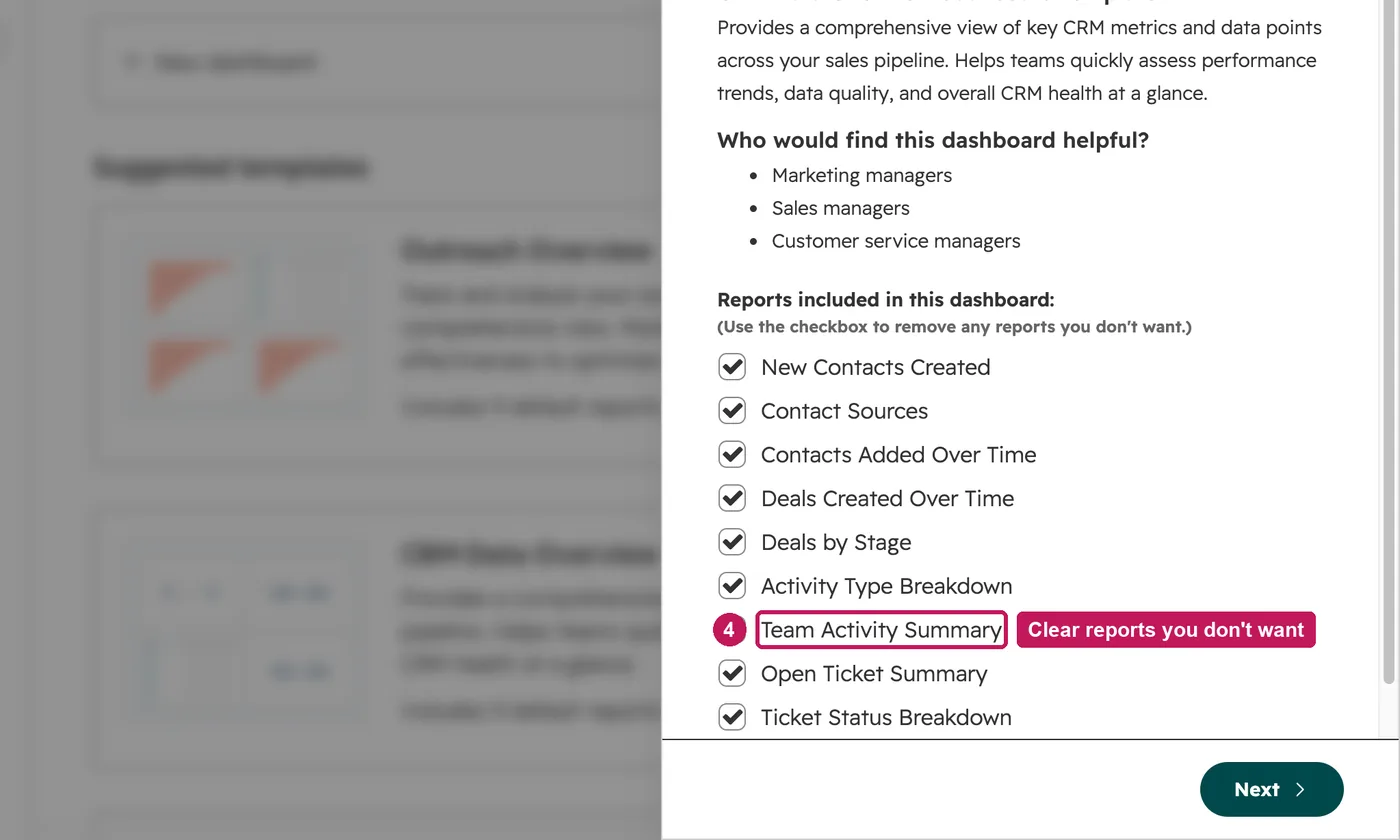
- Clear the reports you don't want, then click Next.
- Name the dashboard and choose who can access it.
- Click Create dashboard, then Go to your dashboard. It opens with the reports you kept.
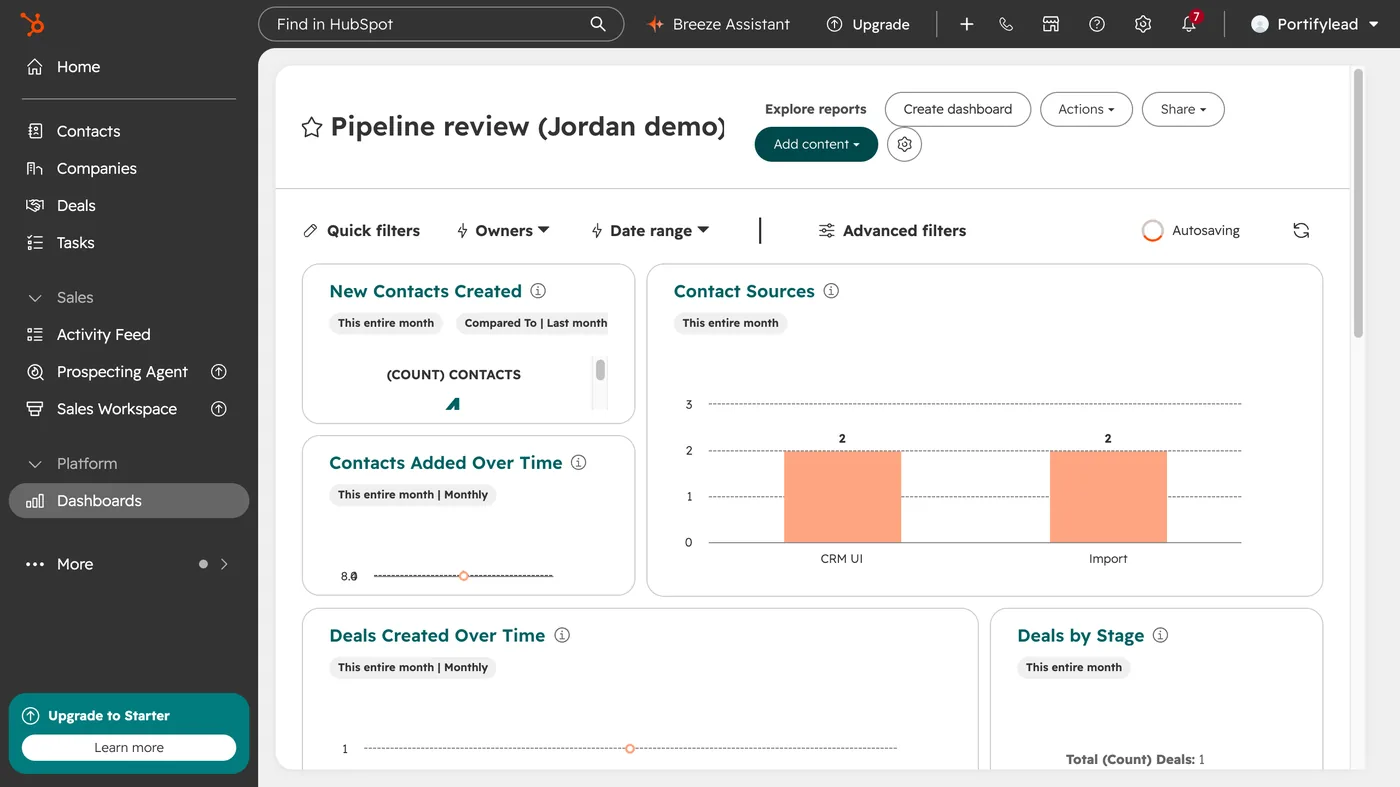
A dashboard name can't contain a website URL or a period. Access can be limited to super admins and the owner, open to everyone to view and edit, or to everyone to view only. How many dashboards you can have depends on the highest subscription your account has.
Source: HubSpot’s Create, clone, delete and manage dashboards help article, updated 29 July 2026, checked 22 September 2026.