How to restore deleted contacts in HubSpot
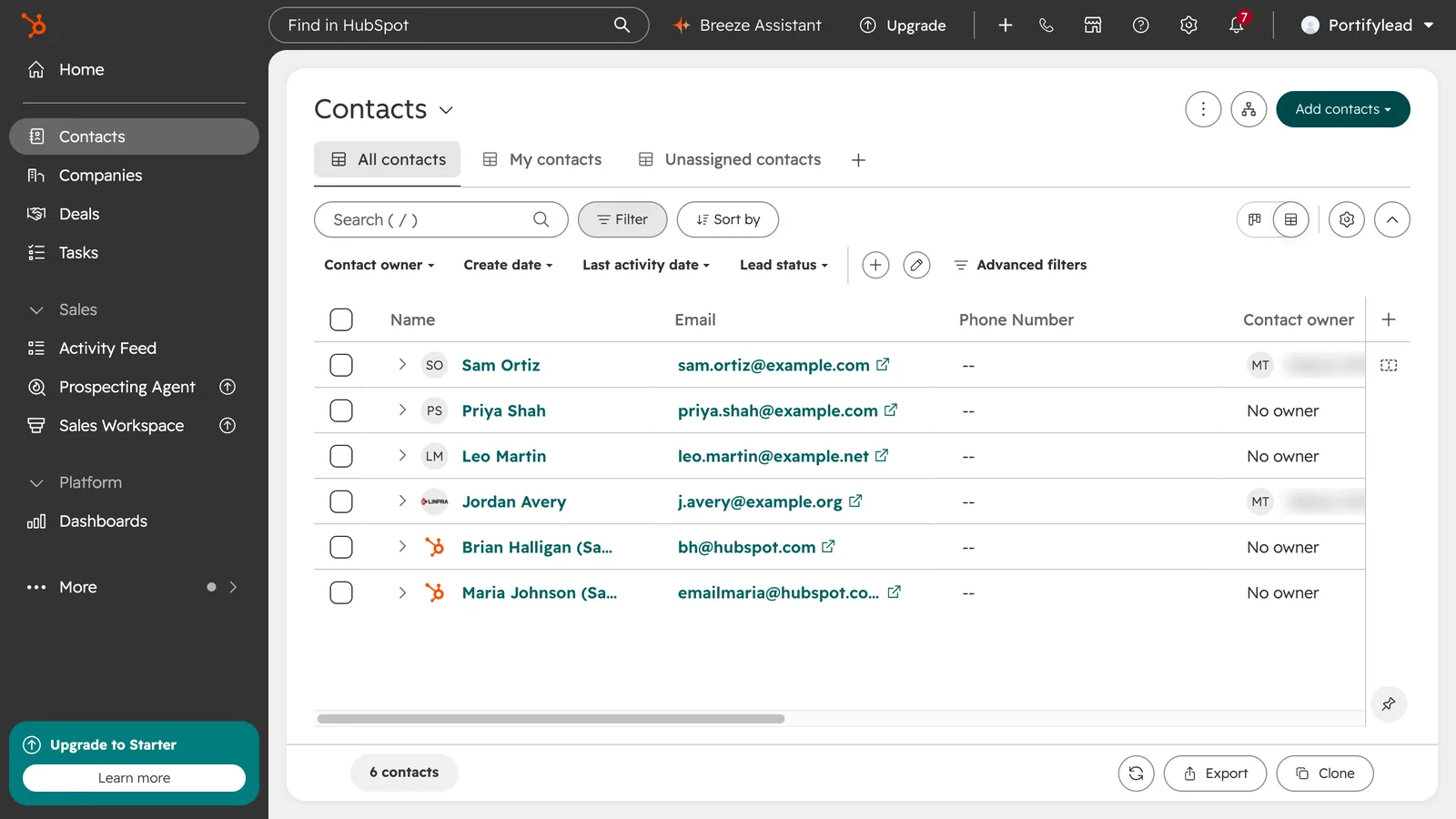
How do I restore a deleted contact in HubSpot?
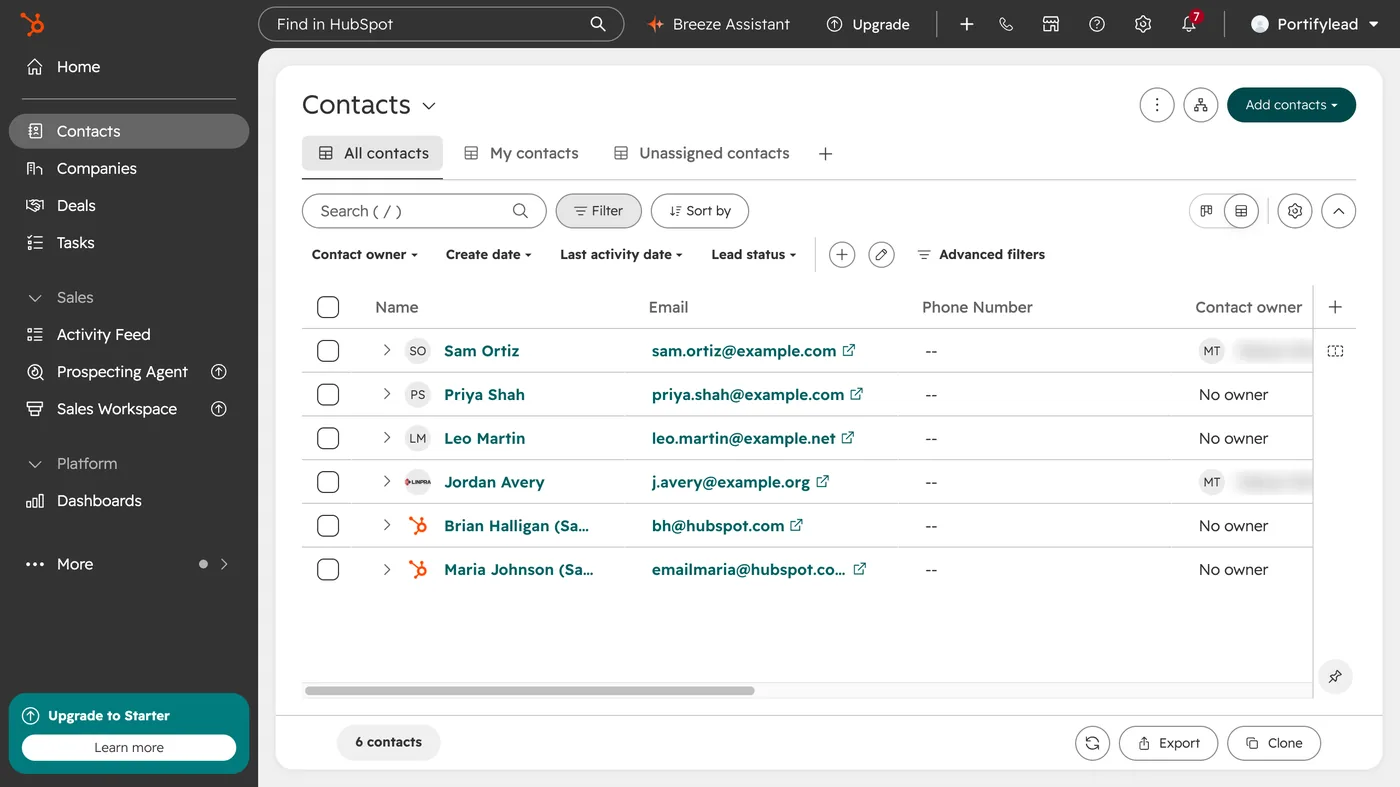
In your contacts list, click the three dots at the top right and choose Restore records. Tick the contacts to bring back, click Restore, type how many you are restoring, and confirm.
- In HubSpot, go to CRM, then Contacts.
- At the top right, click the three dots and choose Restore records.
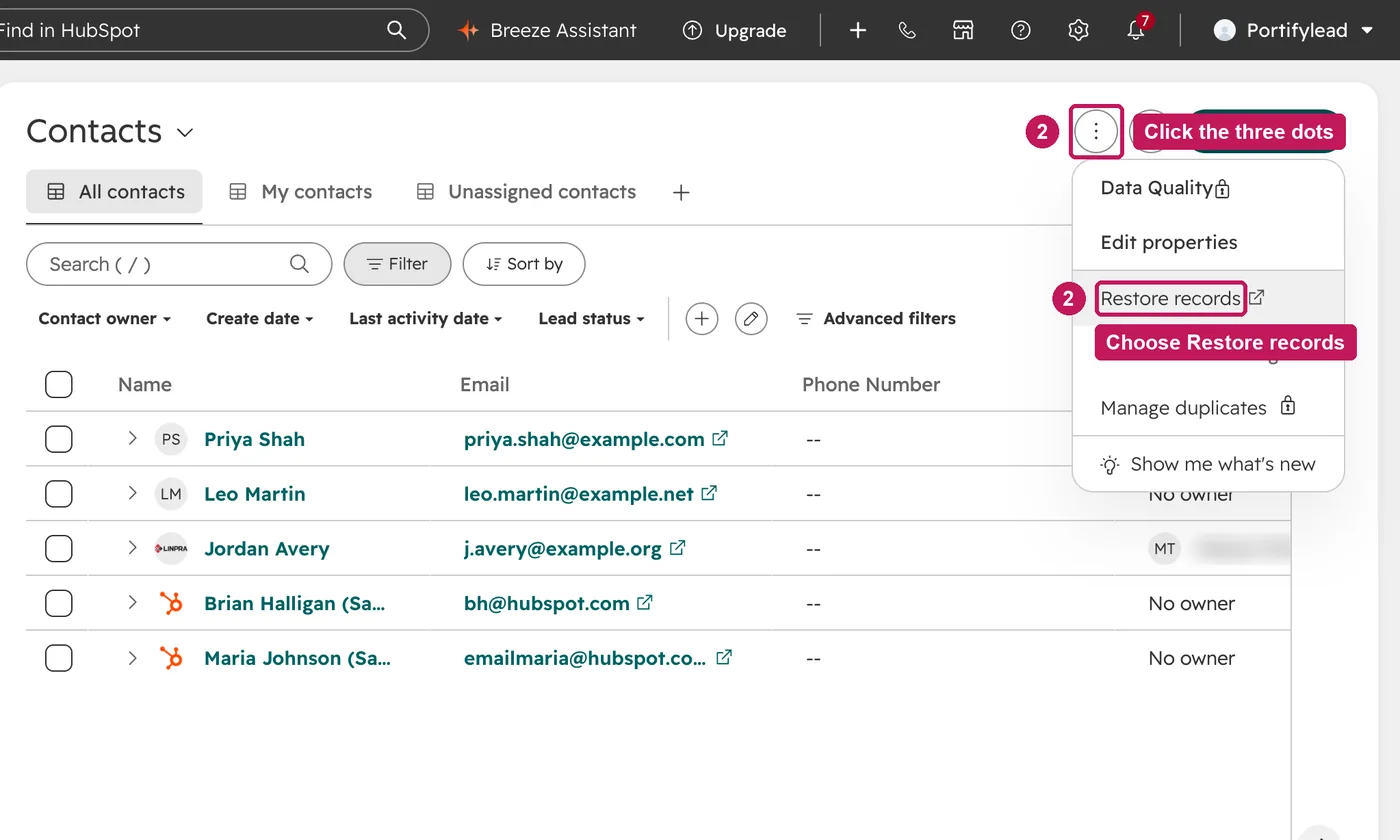
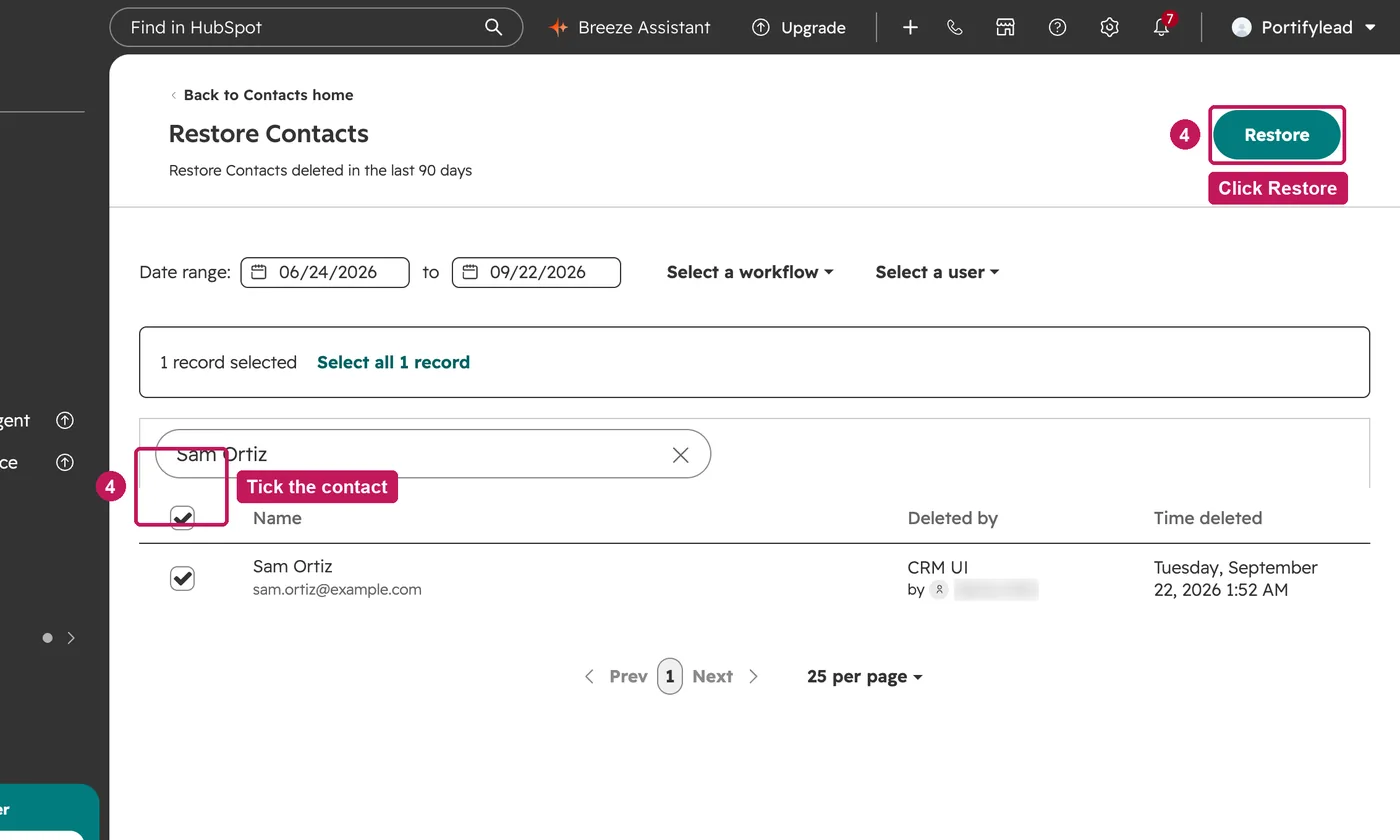
- The page lists contacts deleted in the last 90 days. Search for the one you want back.
- Tick the contact and click Restore.
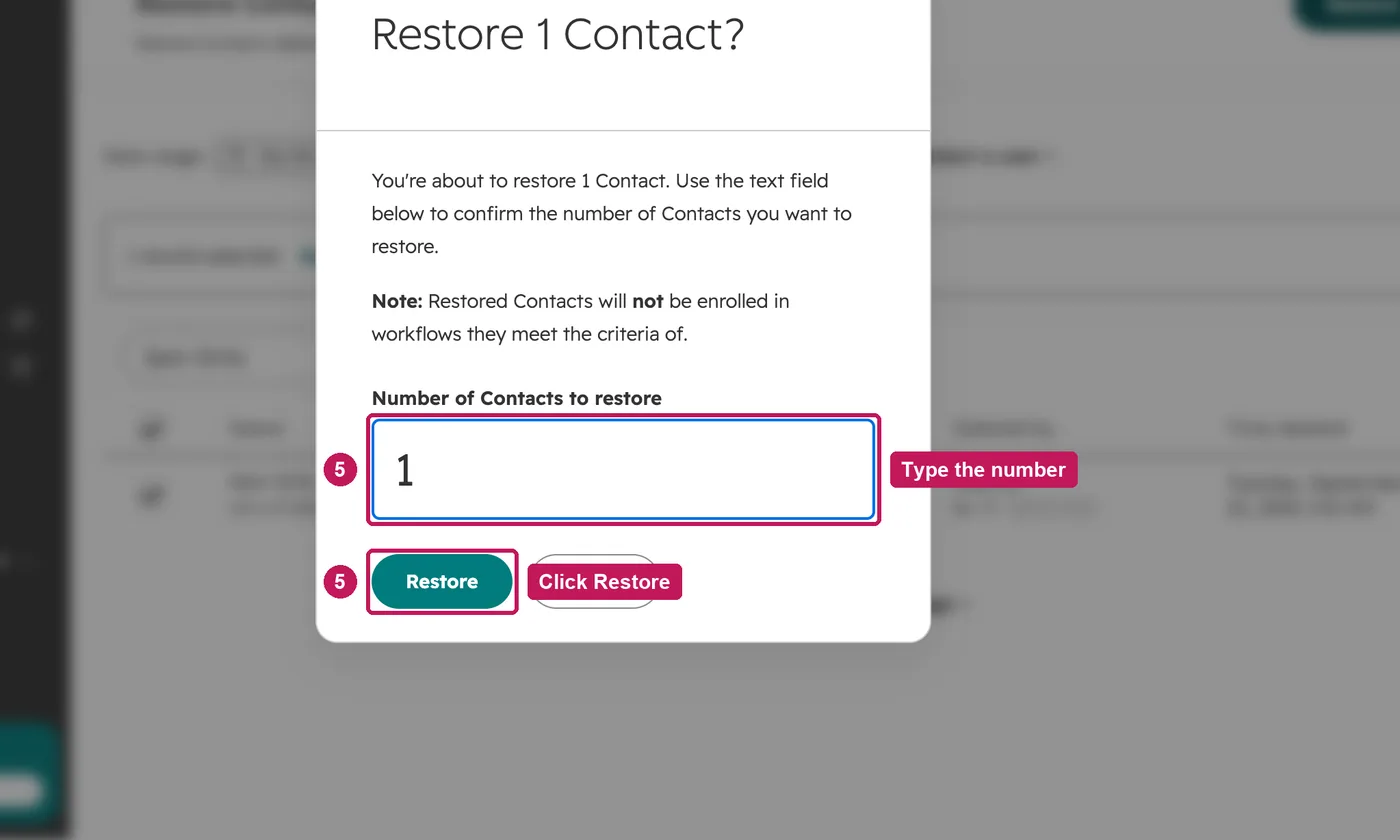
- Type the number of contacts you are restoring, and click Restore.
- The contact is back in your contacts list.
Contacts can be restored up to 90 days after they were deleted. A contact cannot be restored while an active contact has the same email or secondary email, and some of the data associated with a restored contact is still lost. Permanent and GDPR deletions are not held in the recycle bin.
Source: HubSpot’s Restore deleted records help article, updated 9 September 2026, checked 27 September 2026.
Questions about restoring contacts
Can I restore a contact after 90 days, or after a permanent delete?
No. A restorable delete keeps the contact in the recycle bin for up to 90 days, and after that the data is permanently deleted. A permanent or GDPR delete never goes into the recycle bin. Sources: HubSpot’s Understand restorable and permanent contact deletions, updated 17 July 2026, and Restore deleted records, updated 9 September 2026.
Who can restore contacts?
You need the Account access and Add and edit users permissions to use the Restore records tool. Source: Restore deleted records, updated 9 September 2026.
How do I find out who deleted a contact?
In the test account recording, the Restore records page lists each deleted contact with who deleted it and when. HubSpot’s article says you can narrow the list by date, up to 90 days back, or by the workflow that deleted the records. Source: Restore deleted records, updated 9 September 2026.
Do notes, calls and tasks come back with the contact?
It depends on how the contact was deleted. After a restorable delete, HubSpot says activity deleted with the contact is restored if you restore the contact. Calls and emails are listed as restorable too. After a permanent delete, activities are deleted for good. Source: Understand restorable and permanent contact deletions, updated 17 July 2026.
An activity deleted on its own has a separate restore tool. It works within 90 days and needs the Add and edit users or Super Admin permission. Email activities restore only from their index page. Source: Restore deleted activities, updated 15 January 2026.
Can I restore companies and deals the same way?
Companies, yes. The Restore records tool covers contacts, companies, emails, products, appointments and custom objects. HubSpot’s article does not list deals. Source: Restore deleted records, updated 9 September 2026.
All HubSpot articles checked 11 October 2026.